SolusVM allows you to enable or disable VNC, PAE, APIC, and ACPI.
1. Log in to your SolusVM Control Panel.
2. If you have multiple VPSs, then select the appropriate one.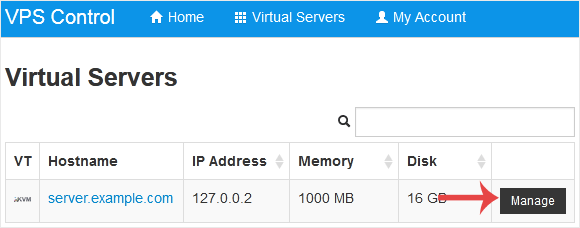
3. Scroll down. Under the Settings tab you can find APIC, ACPI, VNC or PAE. If you want to turn off VNC, select the Off option from the drop-down menu under the VNC option.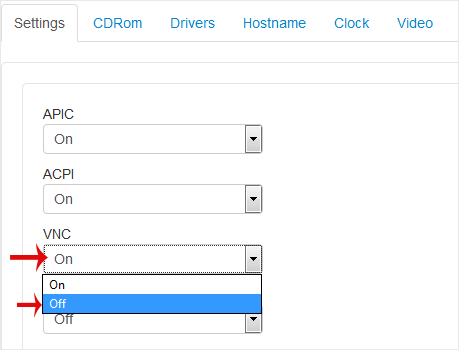
4. After making any changes, such as switching from On to Off or vice versa, reboot your VPS.
How to Turn APIC, ACPI, VNC, or PAE On or Off in SolusVM
The original published text is retained in its source language. This is not a newly approved policy or a legal translation.